

A marketing agency in your pocket.
Built for business owners to take control of customer acquisition.

Get the app for $99Updates for lifeNo contract requiredImages starting at $5Videos starting at $19Monthly plans available

Two minutes on how it works, from the founder.
Your future customers are waiting for you.
Short videos of a person, on a phone, in a feed. Meta’s own numbers first, then independent research.
In Meta’s own words
of time on Facebook and Instagram is spent watching video.
“Video now represents more than 60% of time on both Facebook and Instagram.”
Mark Zuckerberg, Meta earnings call
Reels plays a day across Facebook and Instagram.
“Reels plays exceed 200 billion per day across Facebook and Instagram.” That is where the eyes are.
Meta earnings call
times a day people send a Reel to someone else.
“Reels are already reshared over 4.5 billion times a day.” A video of you can travel on its own.
Meta earnings call
From independent research
of American adults use Facebook. Half use Instagram.
About half of adults open Facebook at least once a day.
Pew Research Center, Americans’ Social Media Use (5,022 U.S. adults).
a day on the phone, picked up about 186 times.
That is where your next customer’s attention already is, in the palm of their hand.
Reviews.org survey of 1,000 Americans. eMarketer puts it near four hours.
of consumers have bought something they first saw on social media.
About three in eight have bought after watching a short video about it.
NP Digital survey of 6,429 U.S. consumers; Adobe Express consumer survey.
Make a video ad in five steps.
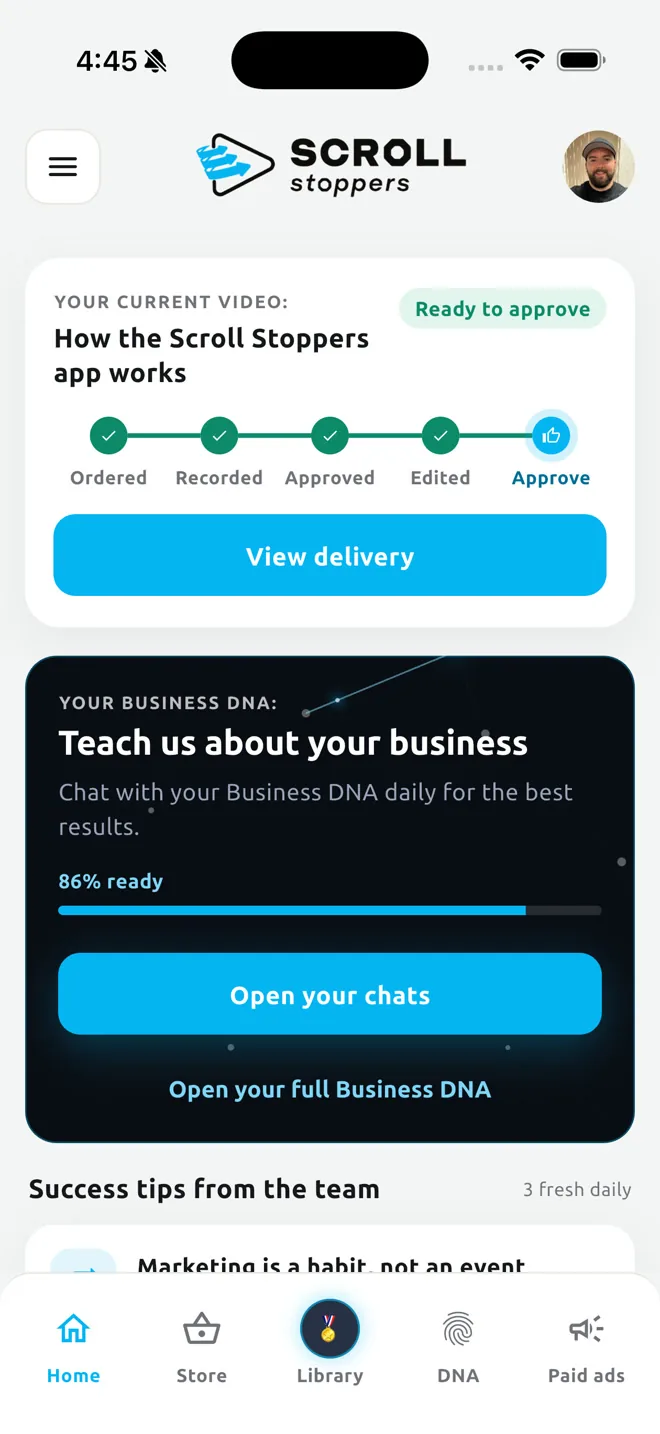
Order
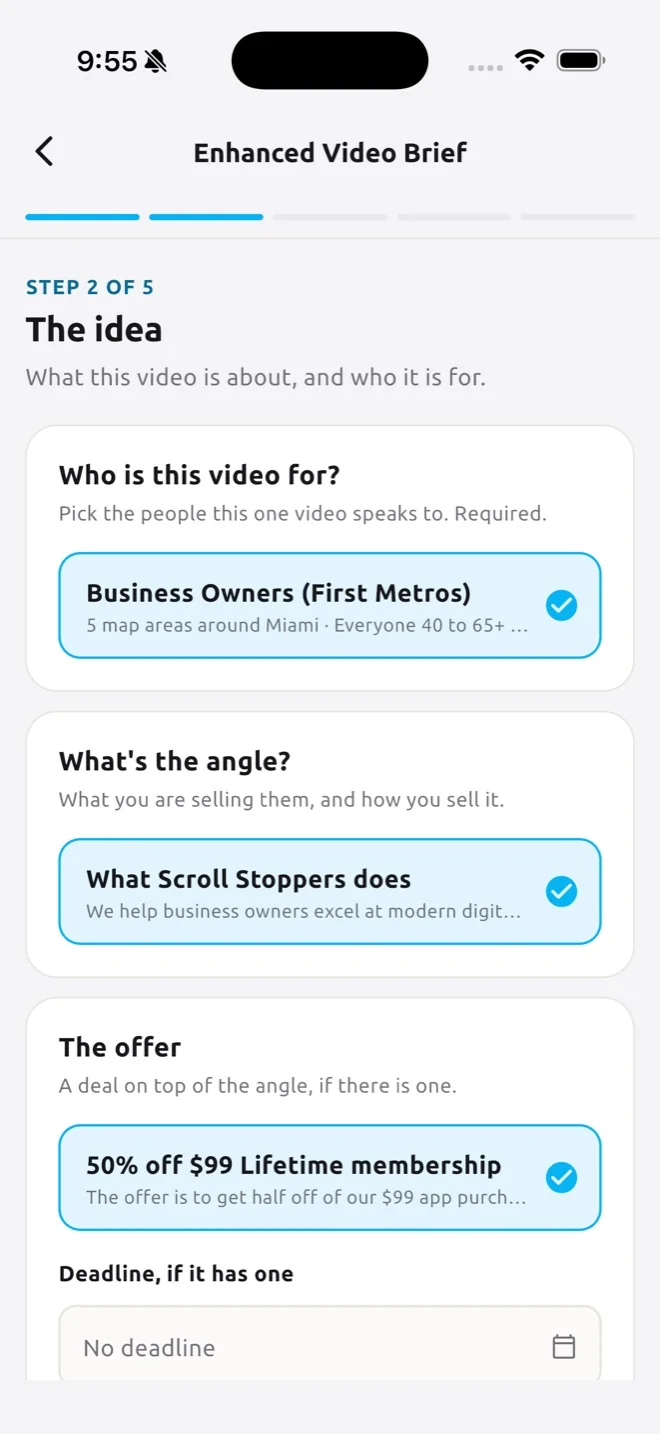
Pick a video in the Store and answer a short brief.
Approve the script
Up to five hooks, written from your Business DNA. Change any line.
Record
Read it off the teleprompter, one line at a time.
Check the cut
Trim or drop any sentence, pick the song, tap Start.
Post it or run it
Post it, or run it as an ad. The leads land in the app.
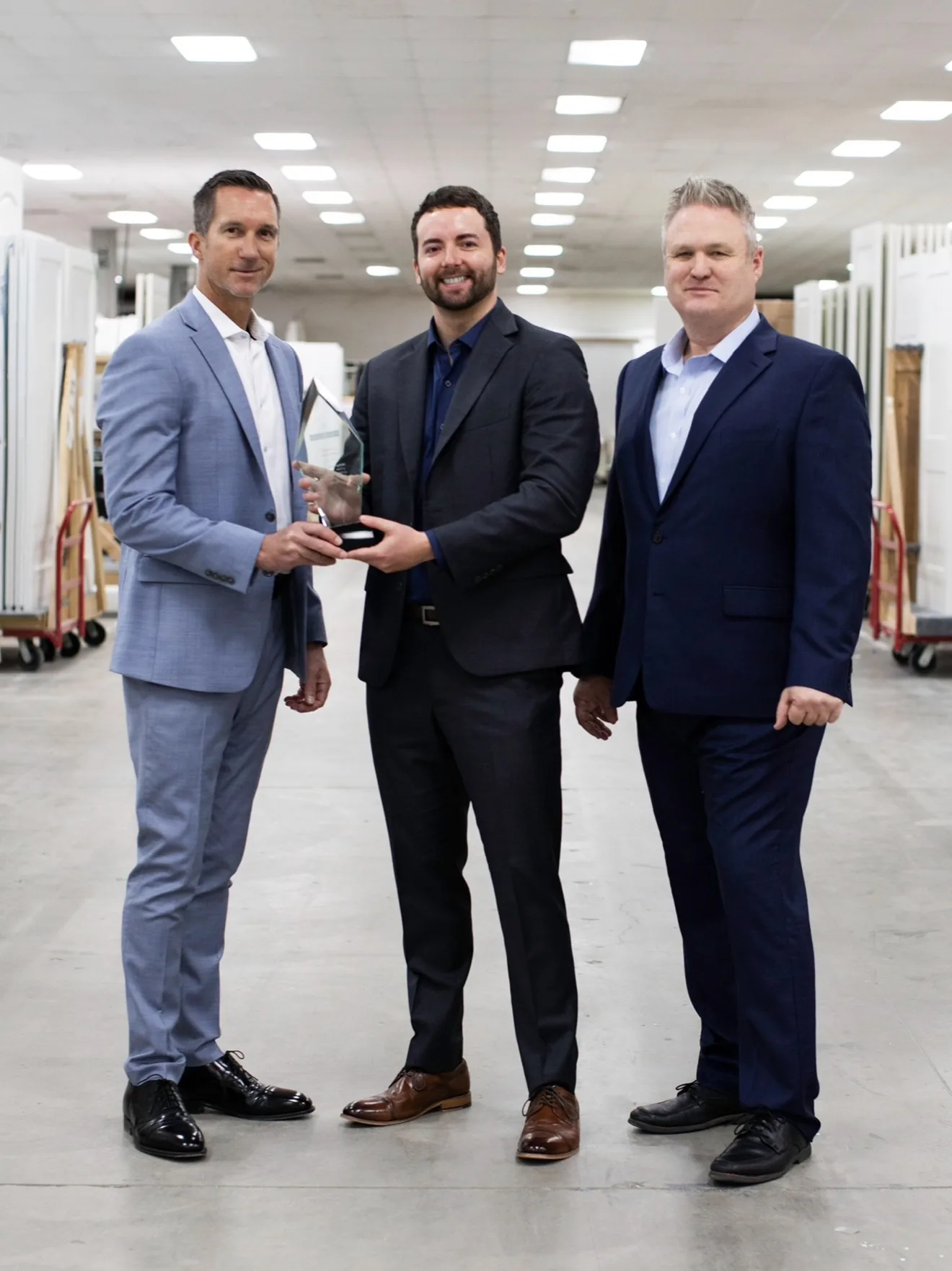
$794 in ads. 54 high quality leads. One was a $7,000 wedding.
This was the first ad Drew ever ran, for a brand new business in a crowded market, a little fish in a big sea. Recorded on his phone, leads in the same app. And his landing page, built in the app, also brings him one to two high quality paying clients a month organically. Those numbers are from his first month with us. He is still a client today.
Drew, private chef

Burned by agencies. So I learned it myself.
“For almost twenty years marketing was the task I passed off to the “experts,” and I was let down every time. Out of necessity I got good at it, grew several businesses with one strategy, and turned it into a system for owners who are where I was.
Without sales there is no profit. Without great marketing there are no sales. So real sales experience and prospect psychology are built into every script and page here. Built to close, not just to get views.
We are hyper focused on vertical, scrollable video, on being discovered instead of searched for, and on making the algorithms work for you.
On AI: the videos are you, a real person, and nothing artificial goes in unless you ask for it. Behind the scenes we take AI to the next level, combining the best tools from every company into one app, run by an award winning strategy.”
Jesse Davi, founder. Roseville, California.
Everything a marketing department does.
The best AI from every company, combined in one app behind an award winning strategy. Real screens, piece by piece.
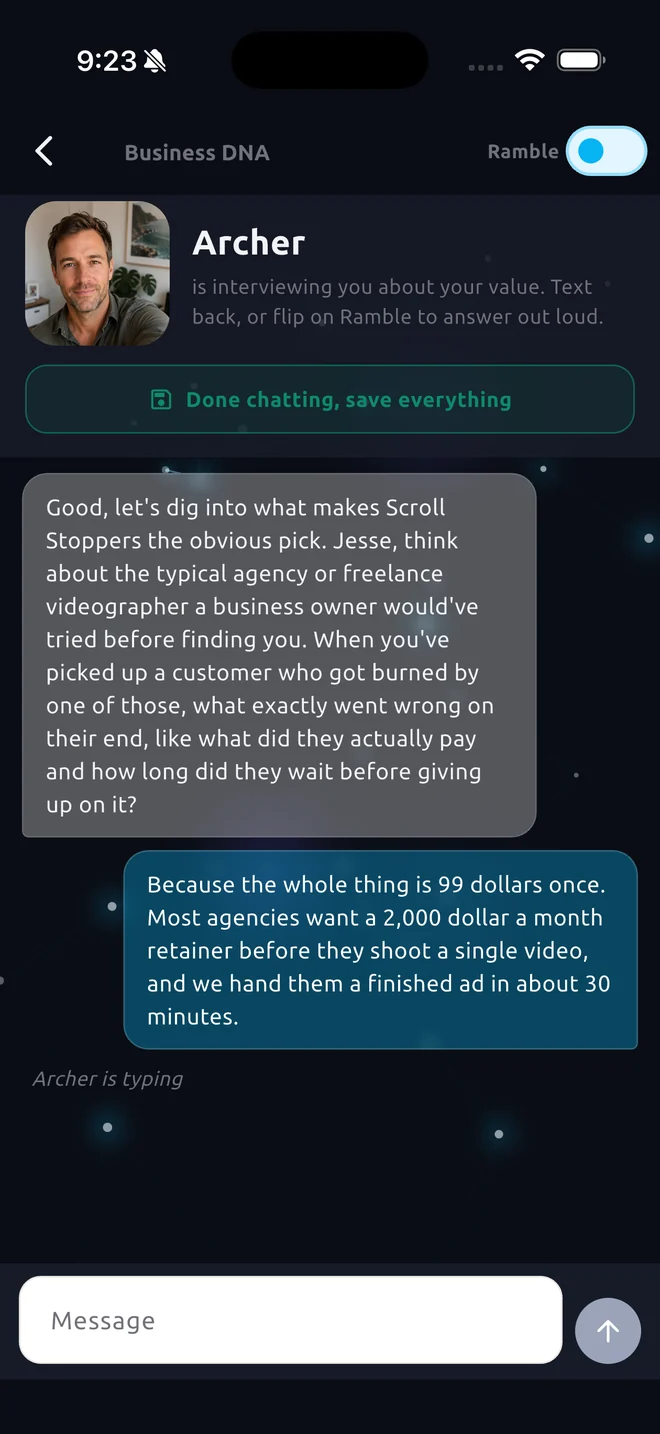
It learns your business first.
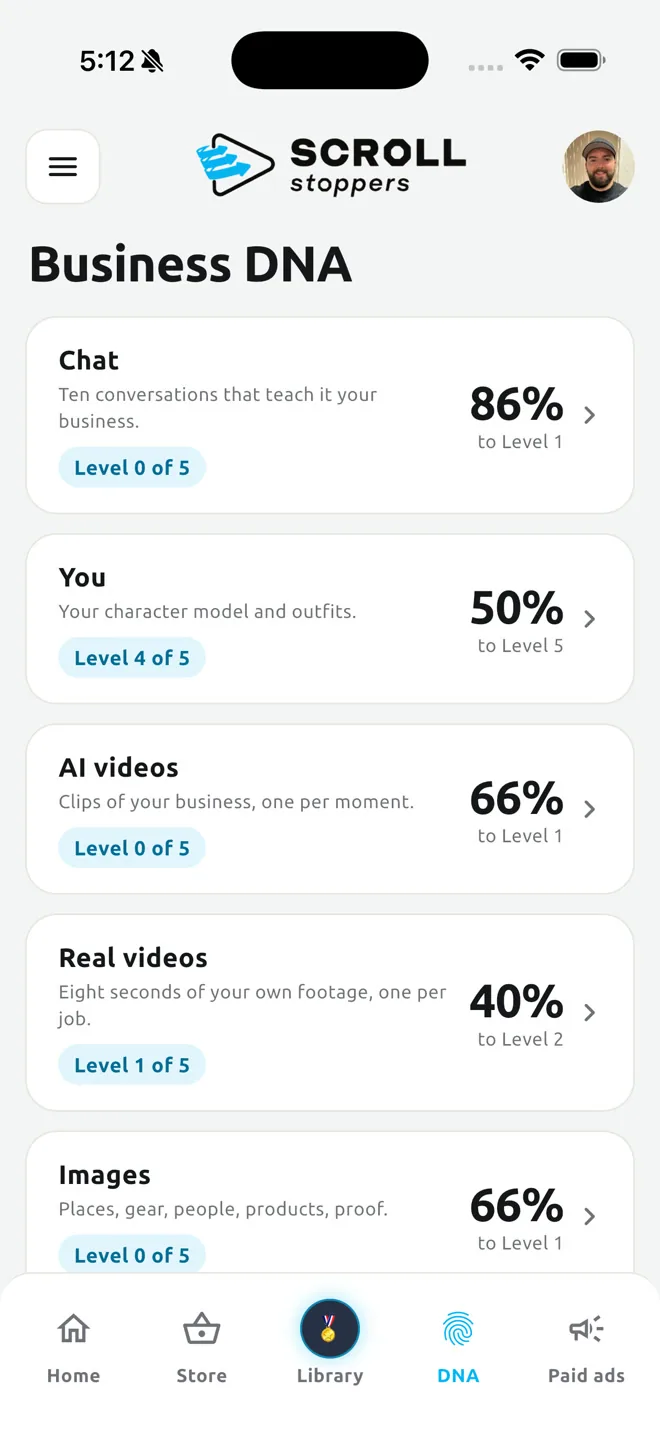
Business DNA is a set of short chats inside the app. Each one asks about a different part of your business: the value you deliver, who you sell to, the angles you sell with, your offers, how you talk, how you started, your client stories and what the work actually looks like. You answer in plain speech. The app files it.
Every row shows a level and a percent, so you always know what to feed next. Everything the app writes for you afterwards, scripts, landing pages and image ads, is written from this. That is why it sounds like you and not like a template.
- Ten chats: Your value, Audiences, Angles, Offers, Voice, Your origin story, Client stories, What it looks like, and more
- Your own sentences are kept word for word and used as written
- A level and a percent per row shows exactly what to add next
- Finish the chats and your first Enhanced Video is free
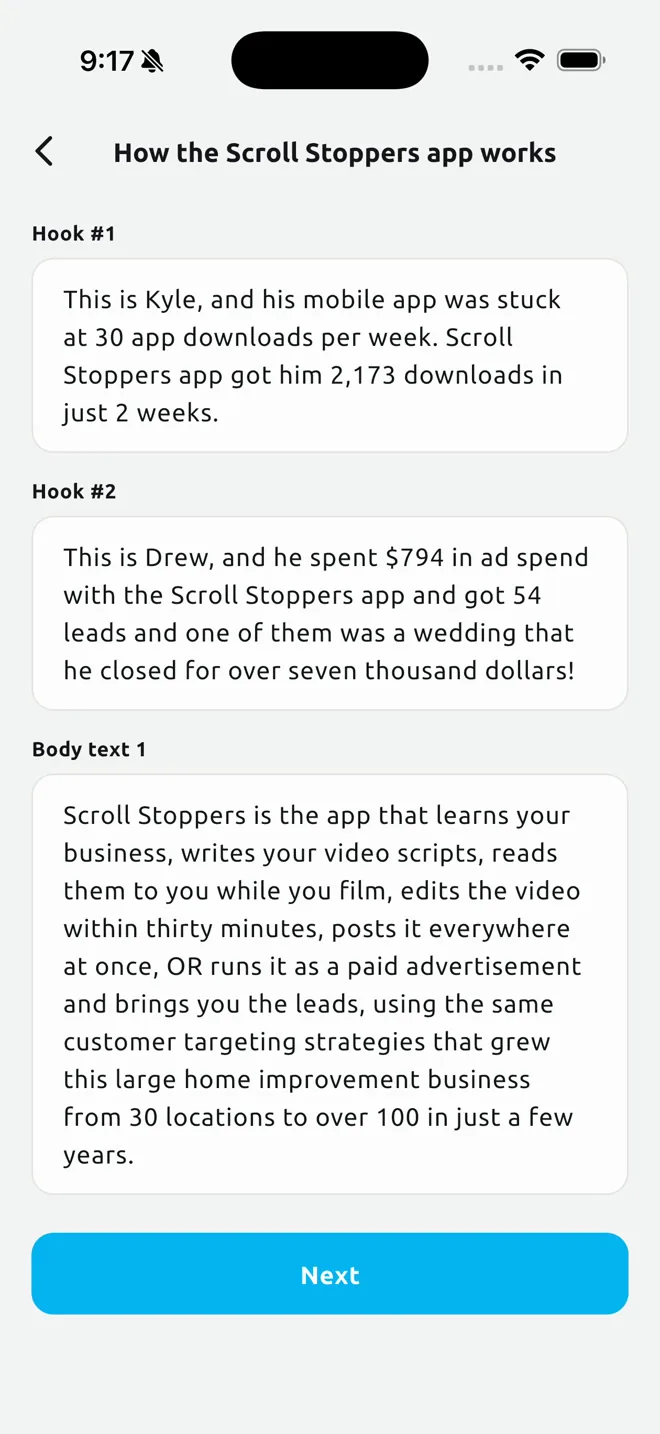
Scripts that are written to sell.
A script is not a script is not a script. Not all scripts are the same. People think they can go to ChatGPT, ask it for a script, and call whatever comes back a “script.” That is not true, just as not all sales presentations are created equal. There is an infinite amount of nuance to writing a good script. There are hundreds of hidden rules we follow, rules written in red from decades of experience.
When you order a video you answer a short brief: who it is for, which angle, which offer, how long. The writer drafts the script from your Business DNA with up to five hooks and a body in your voice, usually about a minute to read. You approve it before you ever press record.
Change any line and the writer learns from the edit. No name and title intros, no memorizing, no jargon. Pay first, approve the script after; if it is not right you edit it or have it rewritten.
- Up to five hooks per script: pick one or test them all
- Written from your Business DNA, your own lines used as written
- Your edits train the writer for the next one
- Client stories only when you pick them, your offers pulled from the ones you keep
- The narrator is ready to read every line to you before you record
Read it. Don't memorize it.
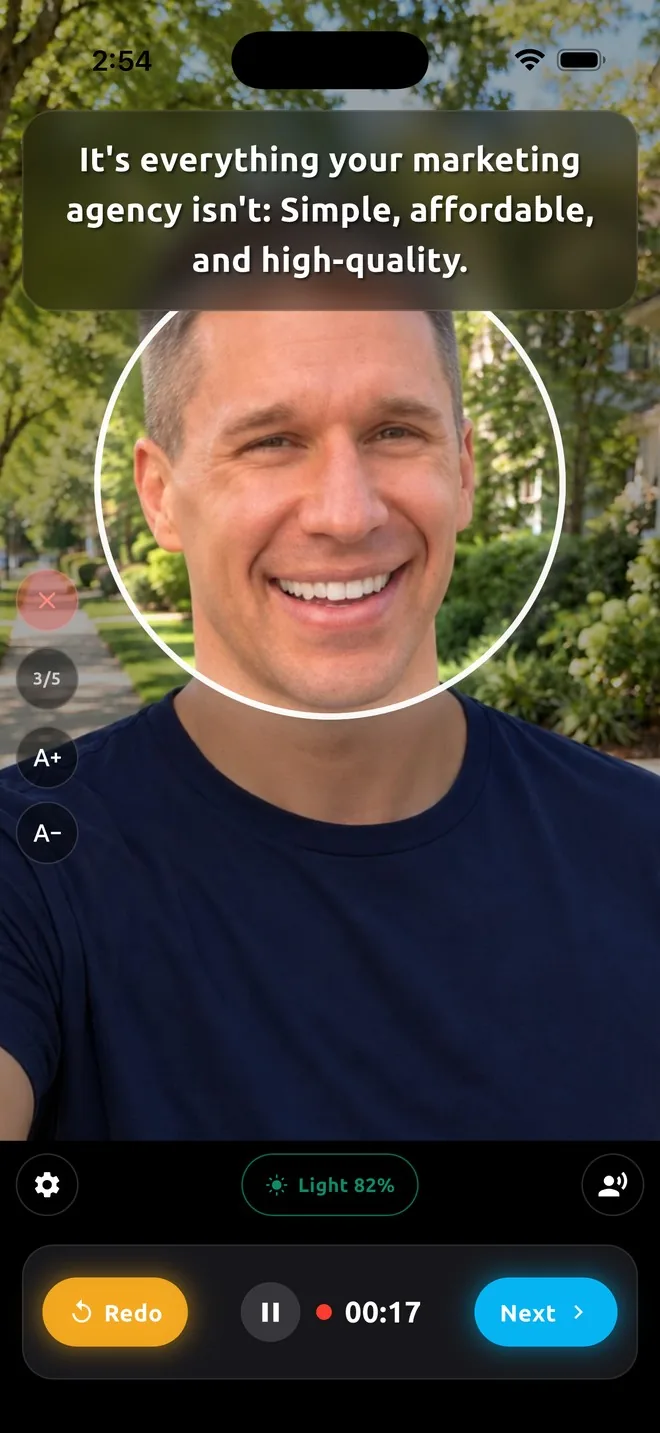
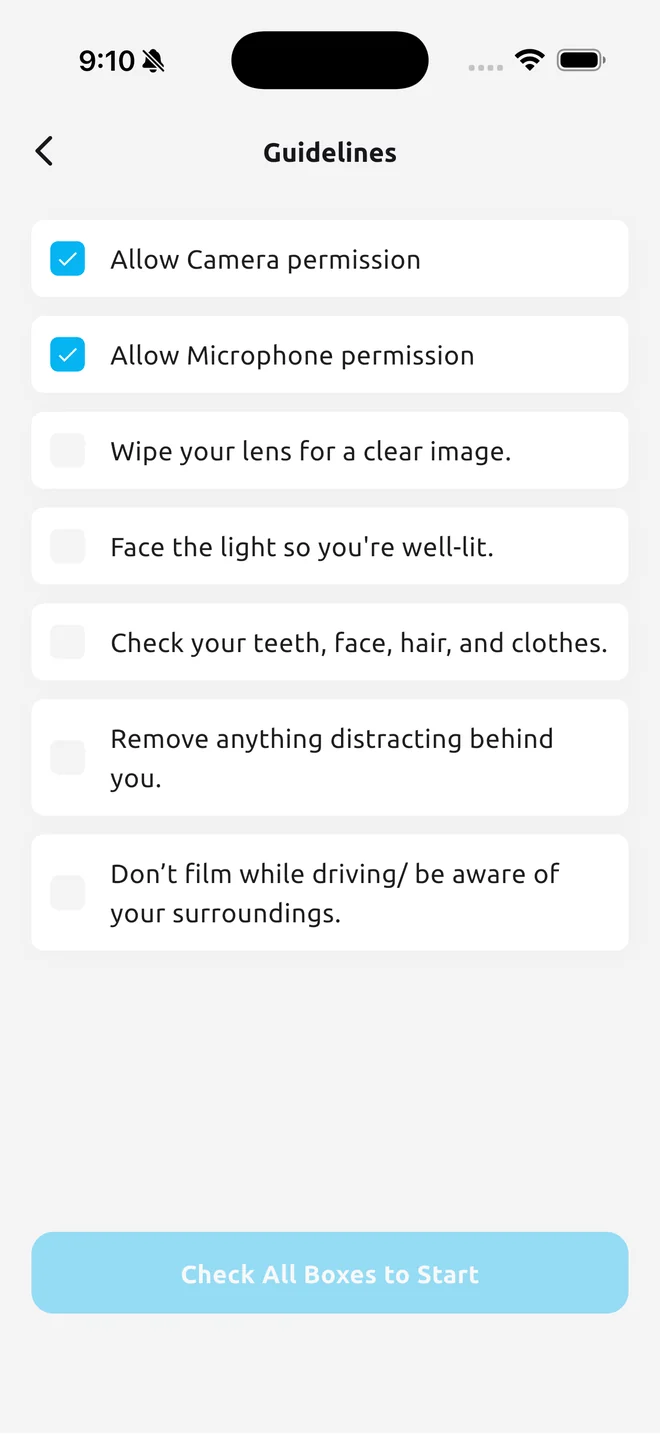
The teleprompter shows one line at a time in big type, right under the camera. A narrator voice reads each line to you first if you want it, so you hear the pacing before you say it. Redo a line as many times as you like; only the keeper goes into the edit.
The app keeps your face inside the circle, checks the light, lets you rehearse and warm up, and shows your microphone level so a plugged in mic just works. Every take is saved to your camera roll and stashed on the phone before it uploads, so a long take is never lost.
- One line at a time, with Redo and Next
- Narrator voice reads the line to you, in the voice you pick
- Light check, face guide, Rehearse and Warm up
- Plugged in and Bluetooth mics detected, with a live level meter
- Ums, pauses and stumbles cut out automatically after you finish
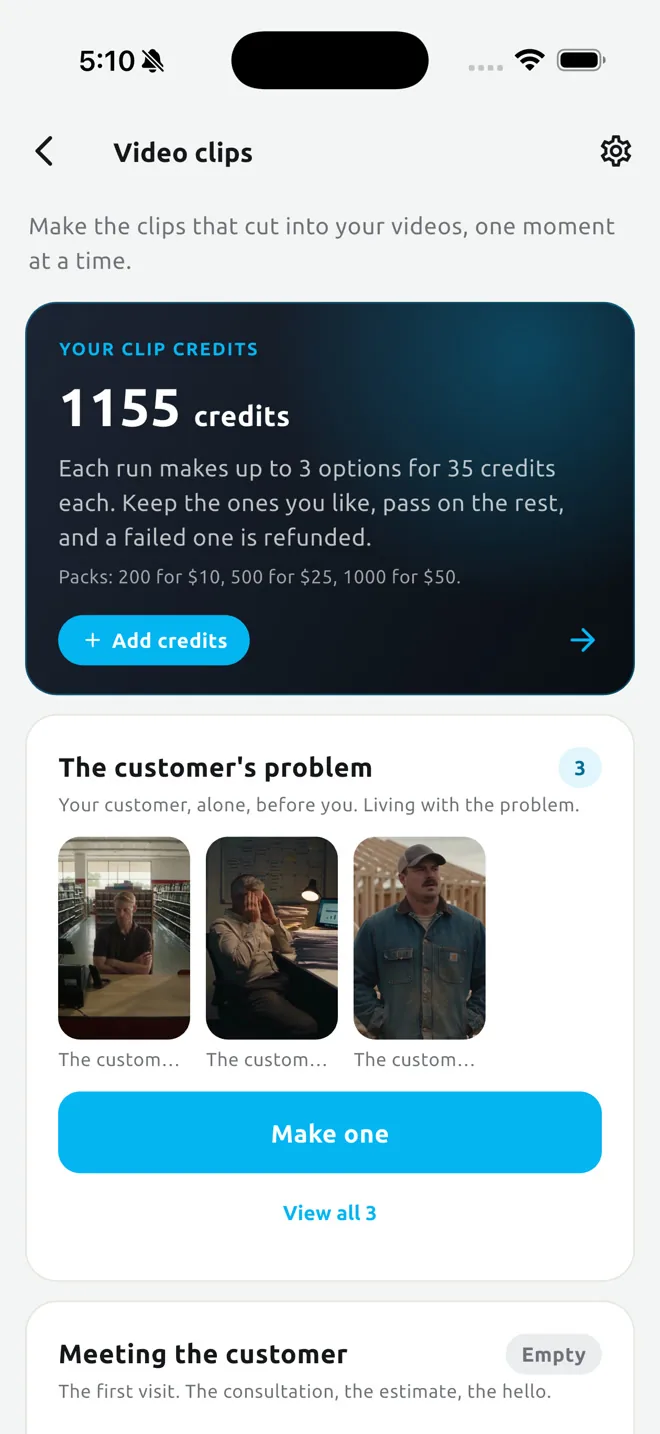
Your clips, photos and AI scenes of you.
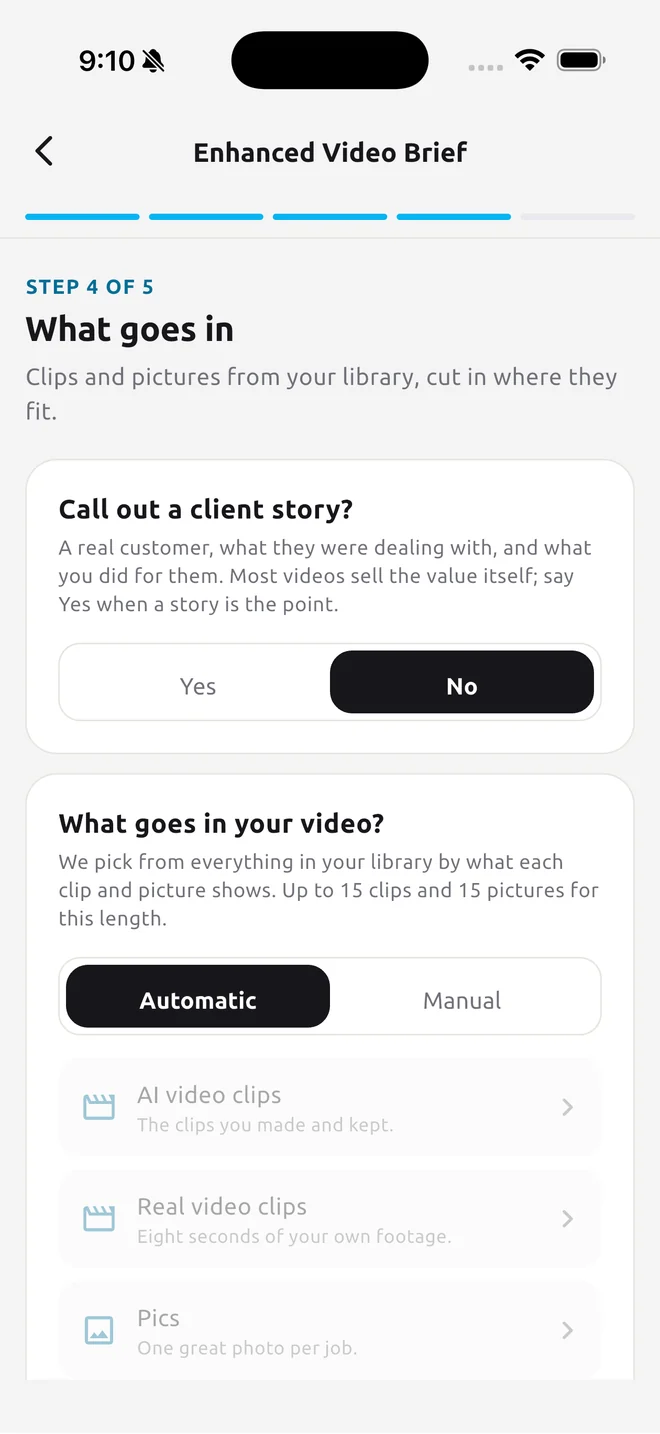
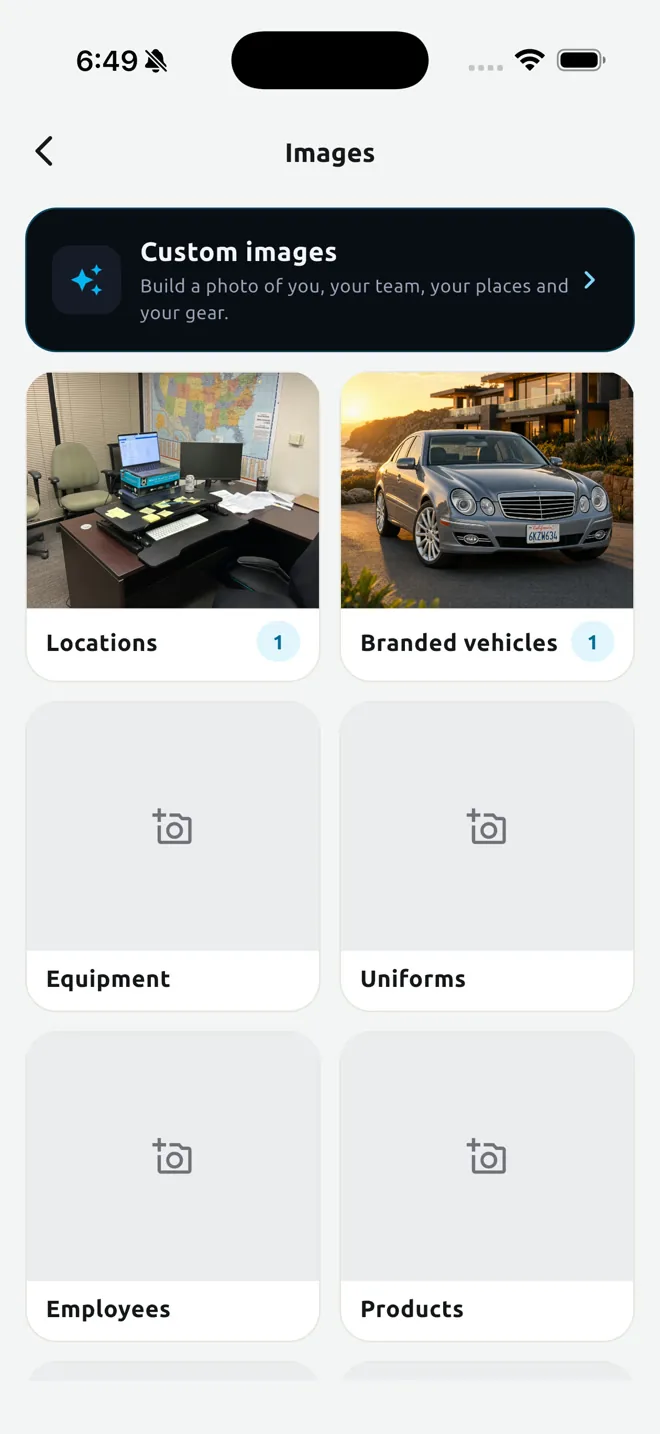
Enhanced videos cut footage in on the sentence it belongs to. You build a library once: short clips and photos of your work, your locations, your team, your before and afters, each with a line describing it. The edit picks from the library automatically, or you choose by hand.
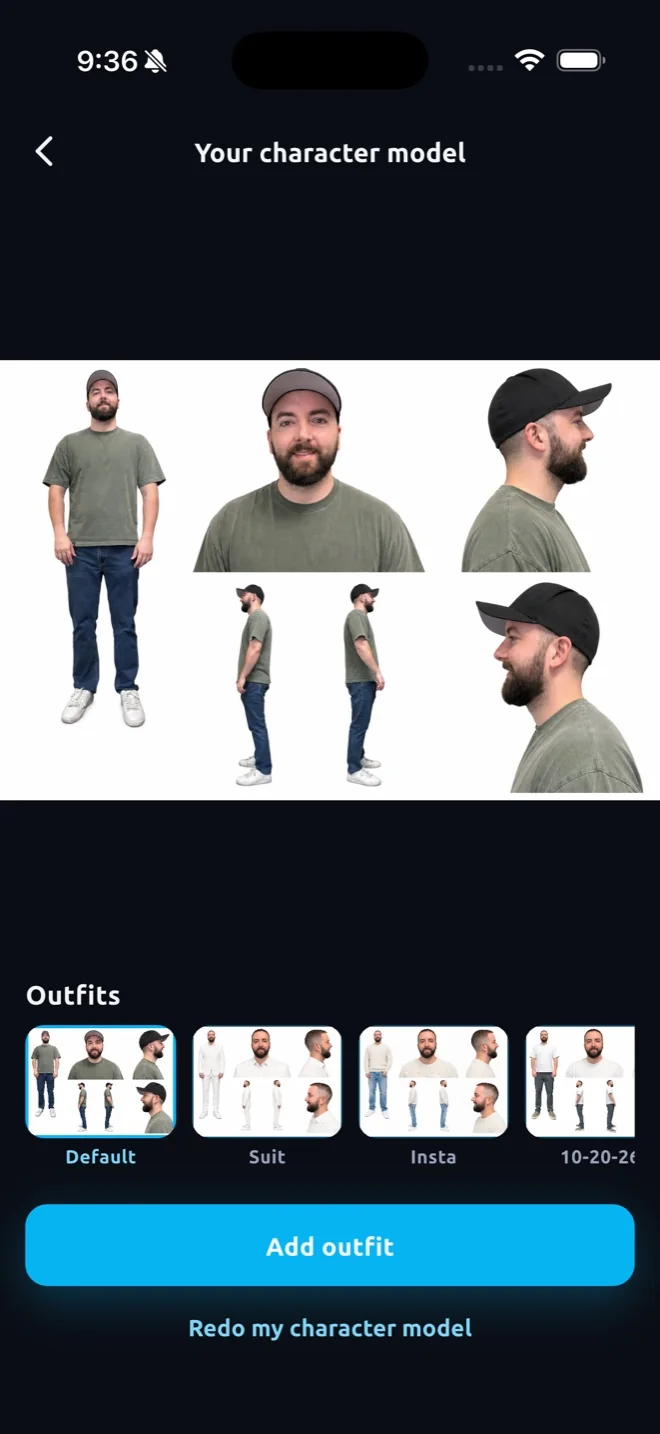
Clip Maker makes AI clips in your likeness for the five moments of every customer story: the problem, meeting you, the work, the wrap up, and the dream after. You answer a few yes or no questions, get up to three options per run and keep what you like. Paid at cost in credits, with failed runs refunded.
- Five moments, yes or no questions, three options per run
- Your own clips and photos placed where the words fit, Automatic or Manual
- Three AI clips per minute included in every Enhanced Video
- AI clips use credits, sold to you at wholesale cost from the companies that make them
AI where it helps. You where it matters.
The videos are you, a real person on camera. Behind you sits a library of real clips, real photos and AI scenes of your work, and the app pairs each sentence you say with the clip that fits it best. Nothing artificial goes in unless you ask for it.
It starts with the 20 Q system. Prompt engineering is genuinely hard, and most people never get a usable result out of an AI video tool. So we took the most cutting edge prompt engineering tactics and built a user friendly 20 Q system that simplifies everything down to yes or no questions about how your business looks and works. You never write a prompt. The answers decide which kinds of clips belong in your videos: your team at work, your before and afters, your customers’ moments, your place. Every clip and photo you add lands on a shelf by what it shows, and where a shelf is thin the app renders AI scenes of that moment in your likeness, three takes to pick from.
When you order, each sentence of your script is tagged by the moment it describes and the best clip from that shelf goes under it, so what you are saying and what people are seeing always match. Automatic picks for you, Manual lets you choose. Every video draws from the same library, so the tenth video is richer than the first without filming a thing. We take AI to the next level by combining the best tools from every company into one app, run by an award winning strategy.
- The 20 Q system simplifies cutting edge prompt engineering down to yes or no questions
- Real and AI clips on the same shelves, paired to the sentence they belong to
- A problem clip never plays under a line about the result
- Automatic picks or your own, up to three clips a minute, no AI unless you want it
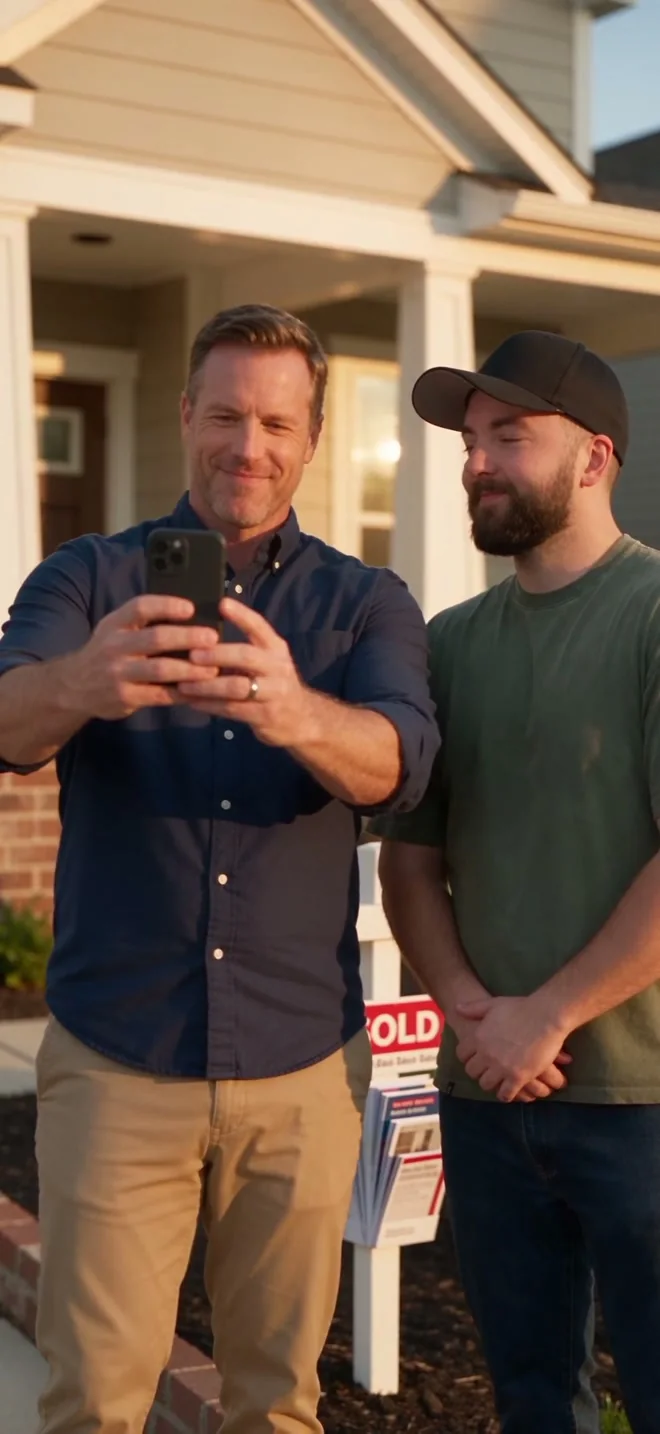
Edited automatically, back in about thirty minutes.
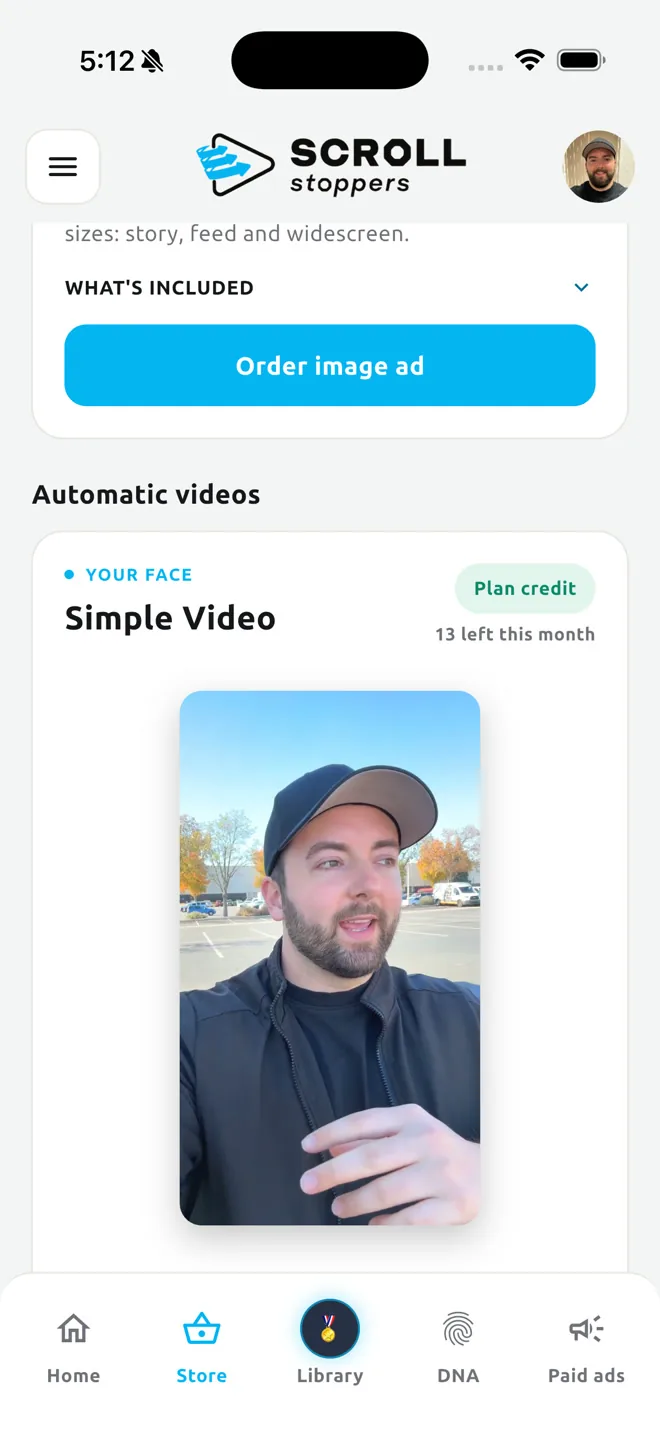
Finish recording and the edit builds itself: dead air cut at every take, the song you chose under your voice, your clips cut in, your logo to close. Simple Video is you talking. Enhanced Video adds your clips and AI clips. Both arrive vertical, ready to post. About thirty minutes is per video: order a split test with three or five hooks and that is three or five separate renders, so it can take a bit longer, but it usually still lands within the hour.
Before it renders you can check your cut sentence by sentence, nudge any cut, drop a sentence and pick the music. After delivery there is a Not quite right card: Quick edit with voice, music and picture sliders and a live preview, Re cut and edit, or Re record from the beginning. Four of each are free on every video.
- Simple Video $19, Enhanced Video $39, delivered in about 30 minutes
- Hook split test add on: one finished video per hook, same edit, same song
- Check my cut: trim, delete, choose the tune, then Start
- Quick edit, Re cut and edit, or Re record from the beginning, free on every video
- Up to one minute included; longer videos cost more at checkout
- Vertical 9:16; other shapes are a human editor thing
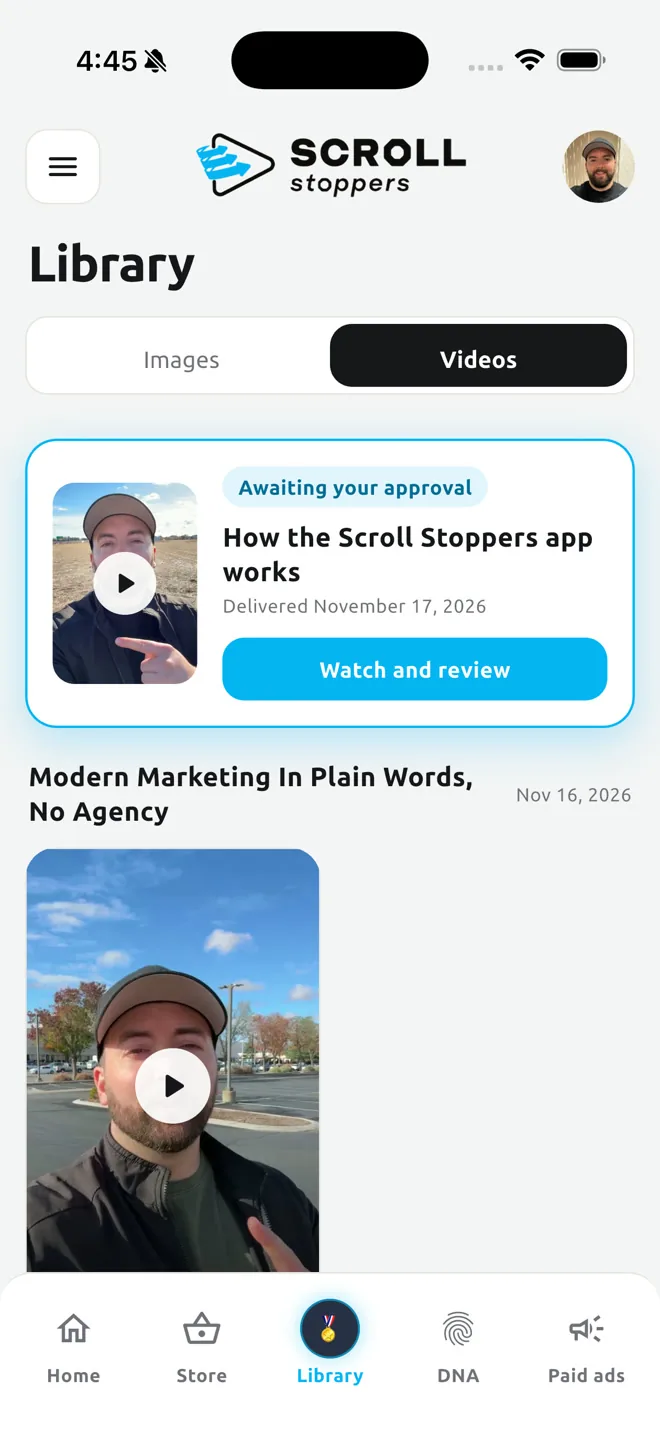
A human video editor when you want one.
Same scripts, same teleprompter, then a real editor takes the project: captions written by hand from what you actually said, color graded footage, sound design, transitions cut by someone who watched it. Enhanced adds motion graphics, titles and hand picked B roll.
Order it from the Store, or add an editor to an automatic video later for the difference. Review a preview, ask for a revision, approve, and every ordered shape arrives.
- Simple Video, human edited: $199
- Enhanced Video, human edited: $349
- Add an editor to an automatic video later: $180 or $310, the same total
- First revision free, more at $80 each
- Any aspect ratio: vertical, square, widescreen
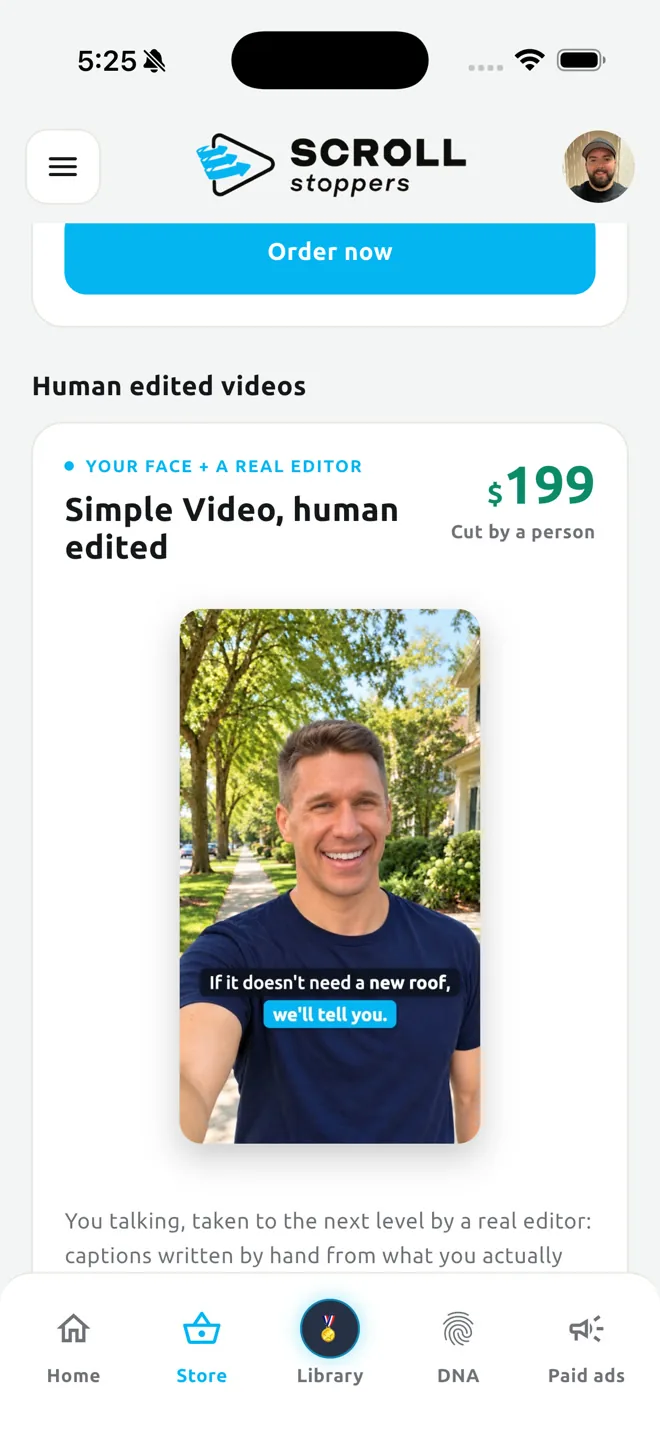
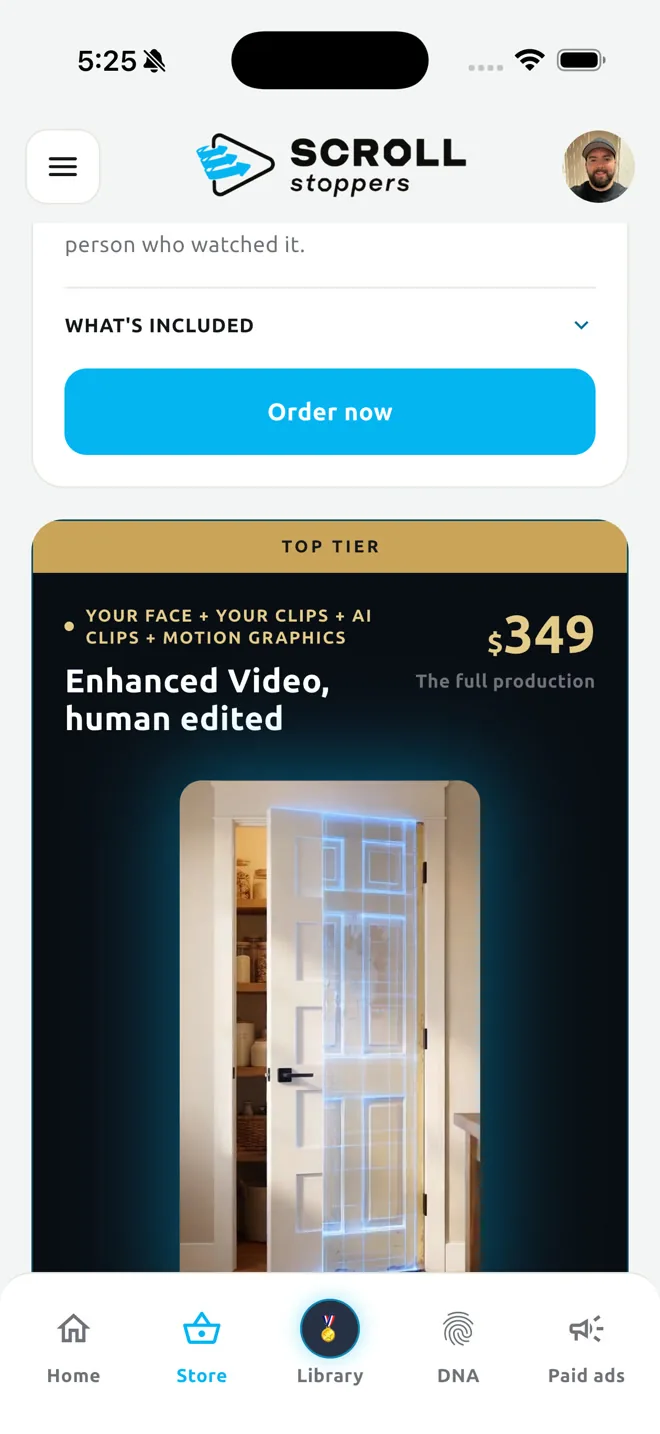
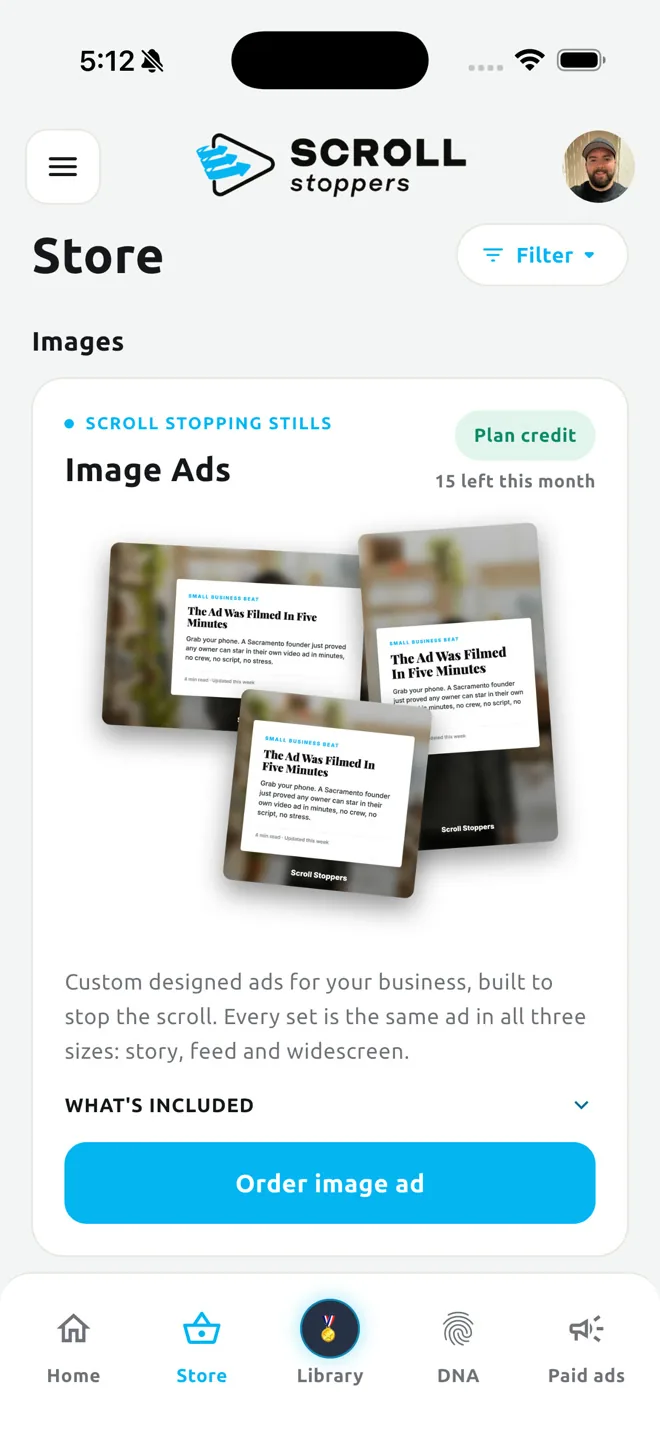
Image ads that stop the scroll, in three sizes.
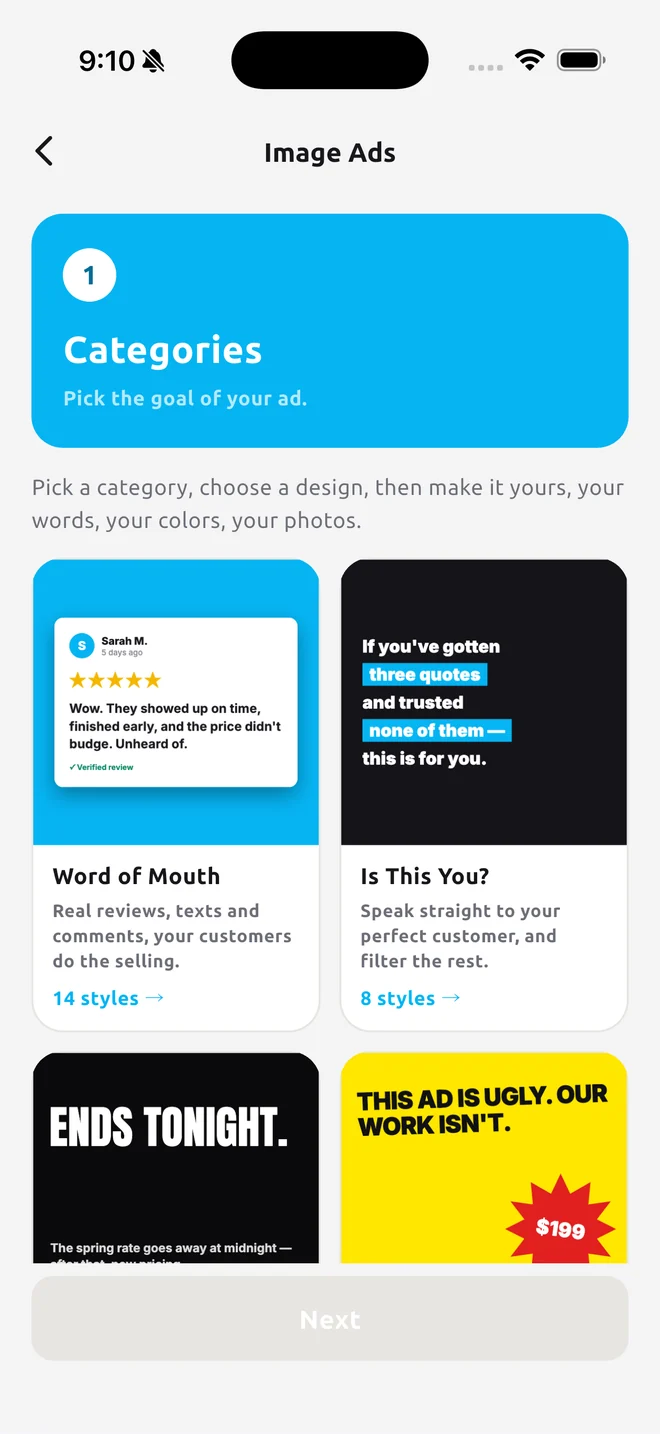
These are not AI slop. Every image ad style is a designed, coded layout, dozens of them, each one built so the type, the spacing and the composition hold up on every ad you make. You pick the style, the app drops in your photos, your element shots and your logo colors, and writes the headline from your Business DNA.
Because the styles are coded instead of randomly generated, your ads stay consistent from one to the next. Change the colors, change the fonts, swap the photo, and the design still holds. Pump out a whole campaign of high quality image ads in minutes. Every one arrives in all three sizes: story, feed and widescreen.
- Dozens of coded styles, grouped by goal: proof, urgency, qualified, quick capture, showcase, informational
- Edit the colors and the fonts; the design stays consistent
- Every image delivered in 9:16, 1:1 and 16:9
- One real scene per image: no stock photos, no split screens
A landing page with one job: leads.
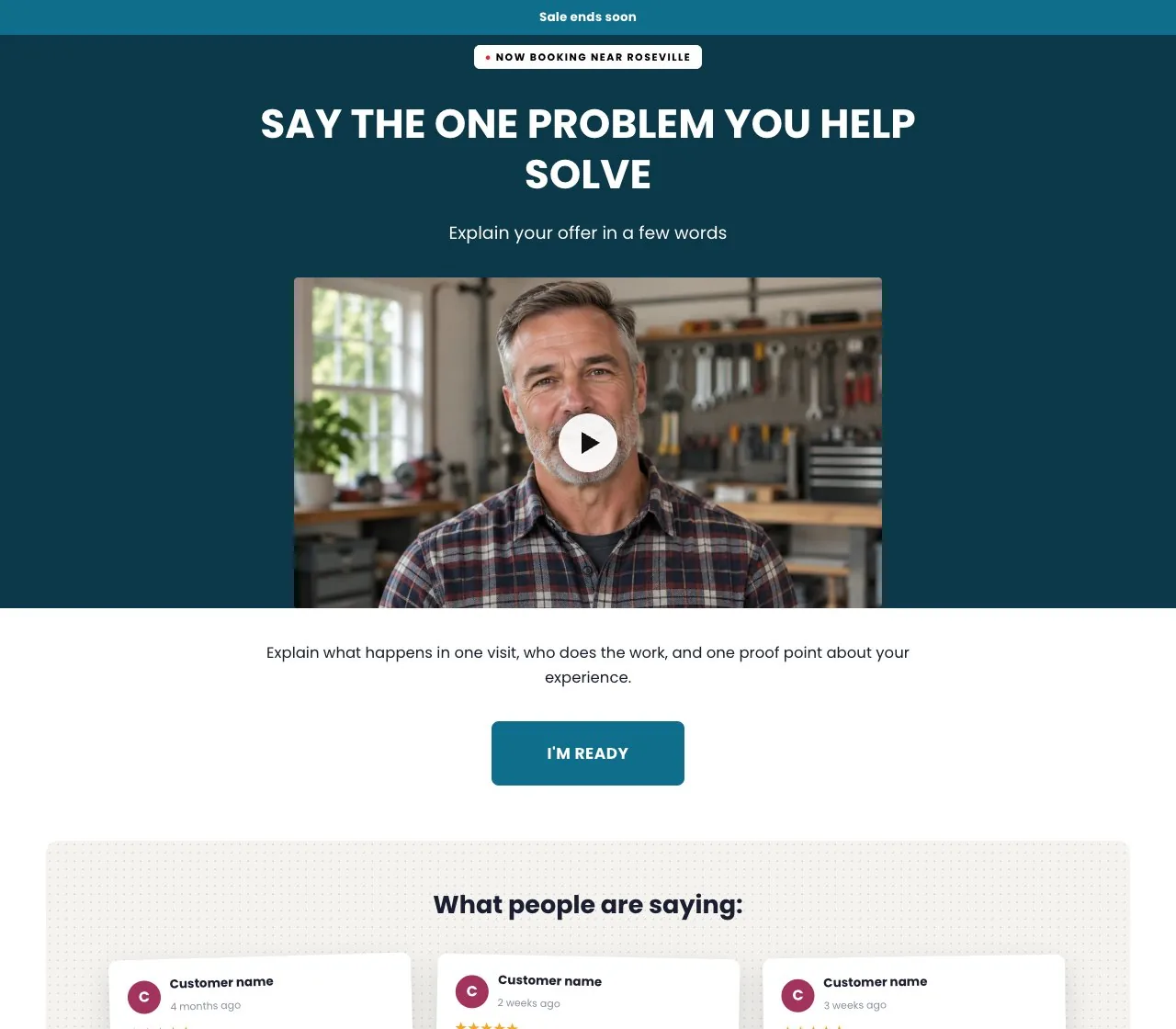
Dozens of proven styles, each a conversion framework. Pick one, and the app writes the page from your Business DNA and the video's audience, angle and offer, reads your brand colors off your logo, and builds it with a lead form, a booking calendar tied to your real calendar, and a thank you page.
Edit it from your phone: Simple mode shows the handful of words that matter, Everything mode shows it all, and Rewrite keeps the edits you made by hand. Your own domain is registered for you and renewed on us while you are a customer.
- $199 a page, $99 for members of the targeting program
- Dozens of styles, photos and words swapped in minutes, icons you pick
- Your domain included while you are active
- Google PageSpeed in the high 90s, 100 on best practices, and a 3 of 3 on Google’s new agentic browsing checks
- SEO head, structured data, robots, sitemap and llms.txt on your domain, Meta and Google tags, heat maps
- Booking calendar synced with Google Calendar or Outlook
- Every visit, tap and lead tracked back to the page
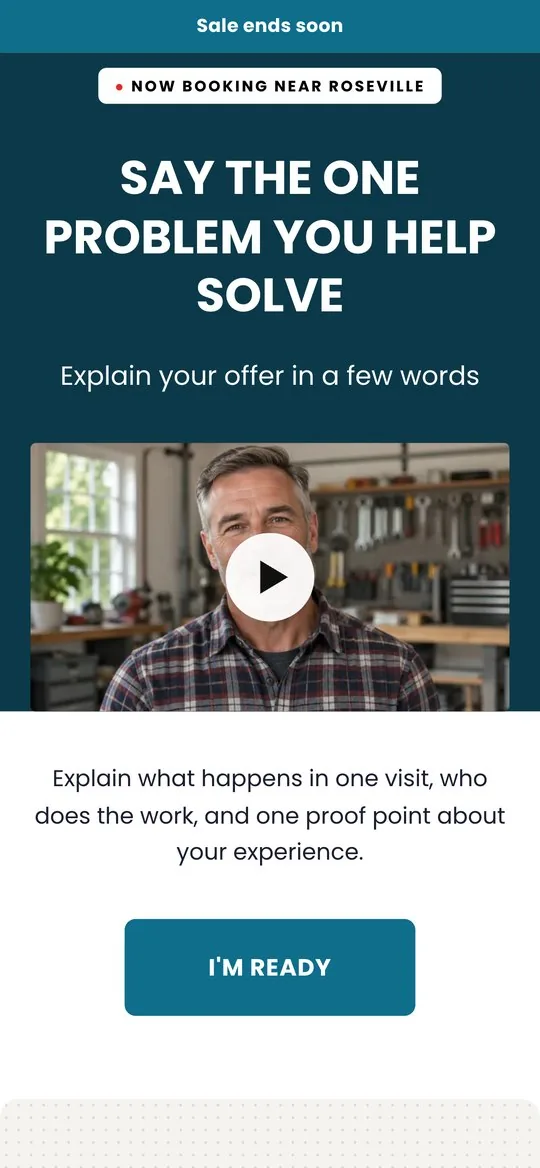
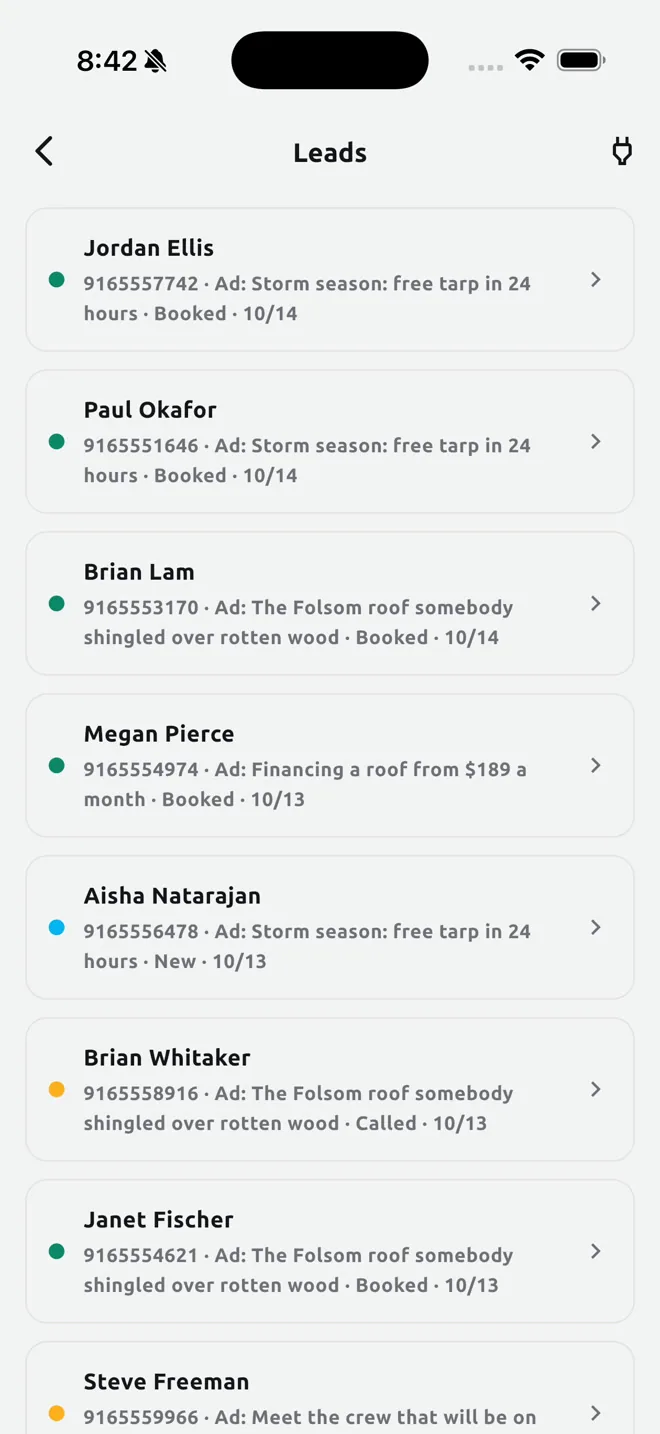
Leads land on your phone in seconds.
Every lead from a page or a Meta lead form lands in the app the second it arrives, with a push to your phone and an email to the people you name. Statuses, notes and reminders keep the follow up honest.
Connect your CRM with your own key and leads flow there too: a webhook or Zapier, GoHighLevel, HubSpot, Keller Williams Command. We never hold your CRM account.
- Push and email the moment a lead arrives
- Up to five people on the contact list
- Status, notes and reminders per lead
- CRM sync with your own key, nothing of ours in the middle
- Leads from landing pages and from Meta lead forms
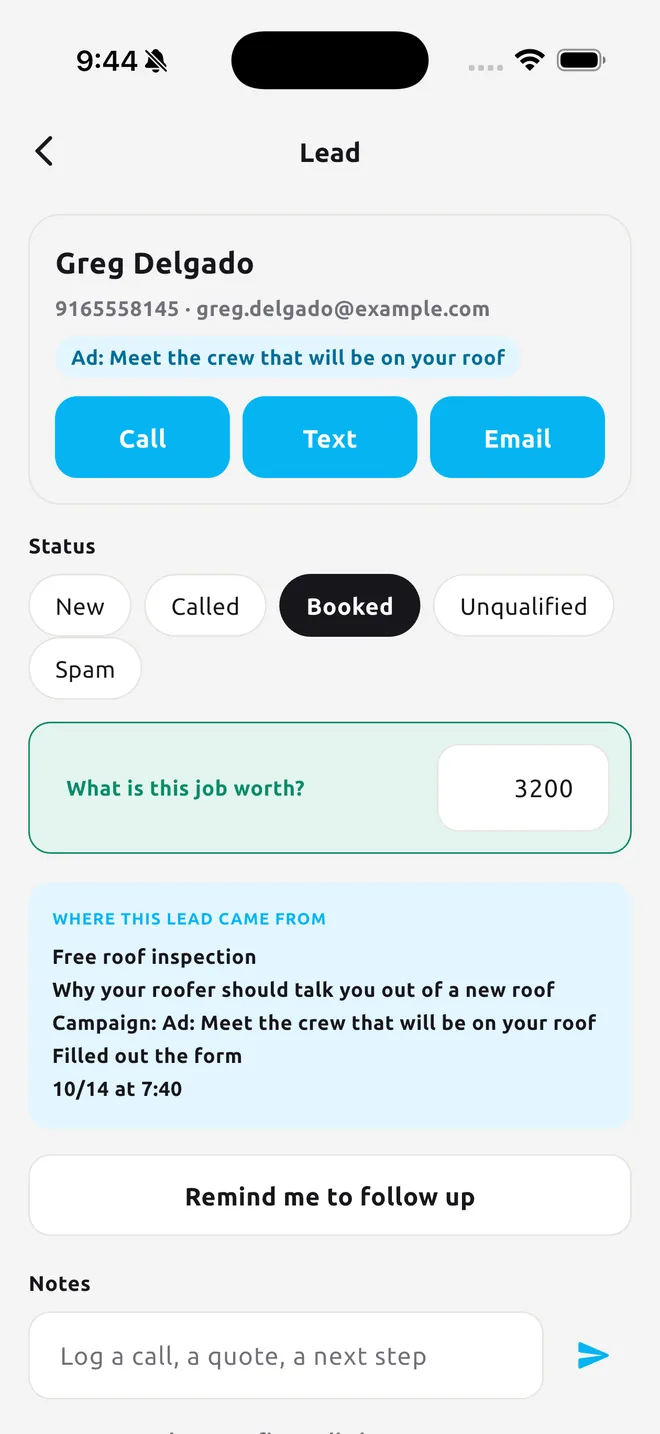
The main show: paid advertising at the highest level.
This is the proprietary sauce of the whole app. Making content quickly, affordably and well is only half of it. The other half is distribution: posting it organically, and then running it as paid advertising with strategies that are industry leading. The strategies baked in here are not something you can learn online, pay for in a class, or hire an employee or a specialist to do for you. They are proprietary strategies we developed ourselves, and they work.
Access comes through the paid ads program, which you apply for inside the app. Once you are in, you connect your Facebook and Instagram, pick a delivered video or image ad, set a budget cap, and the app builds the campaign on your own ad account. Meta bills your card. We never hold your ad money.
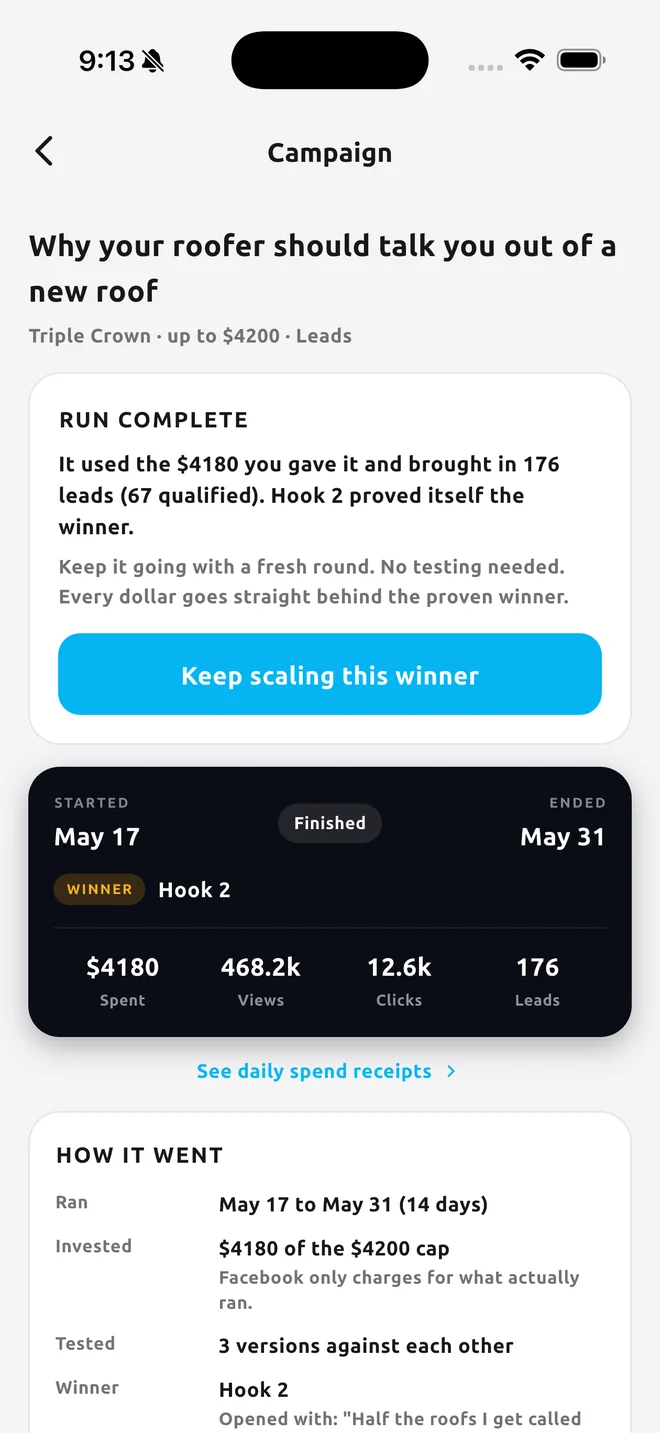
Inside your cap, the automation moves budget toward the version that is winning and keeps a plain language log of every action. Results, connections and audiences live on one screen. Lead forms are drafted from your Business DNA and published to your Page.
- Apply for the paid ads program inside the app
- Proprietary targeting and campaign strategies, built in, not taught anywhere
- Your ad account, your card, your cap
- Hook versions tested against each other, budget follows the winner
- A log in plain words of everything done on your campaigns
- Meta lead forms, your pixel on your landing pages, domain verification from the app
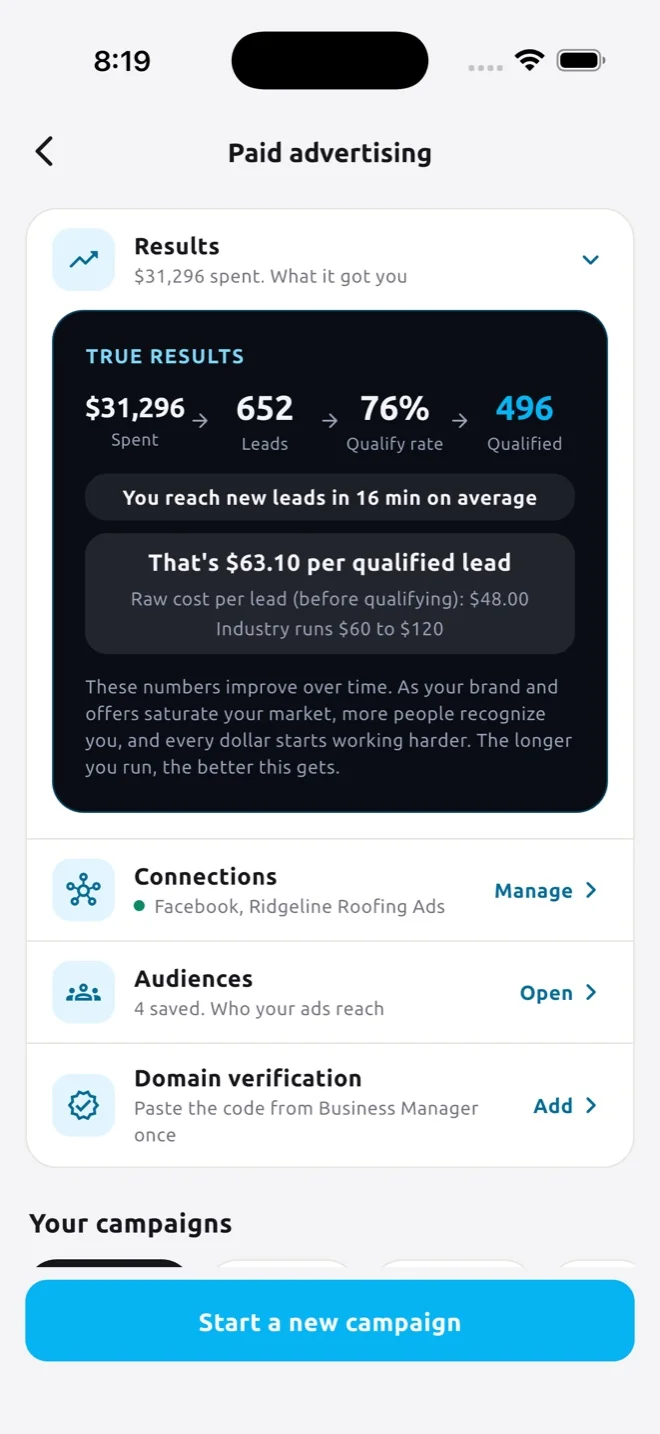
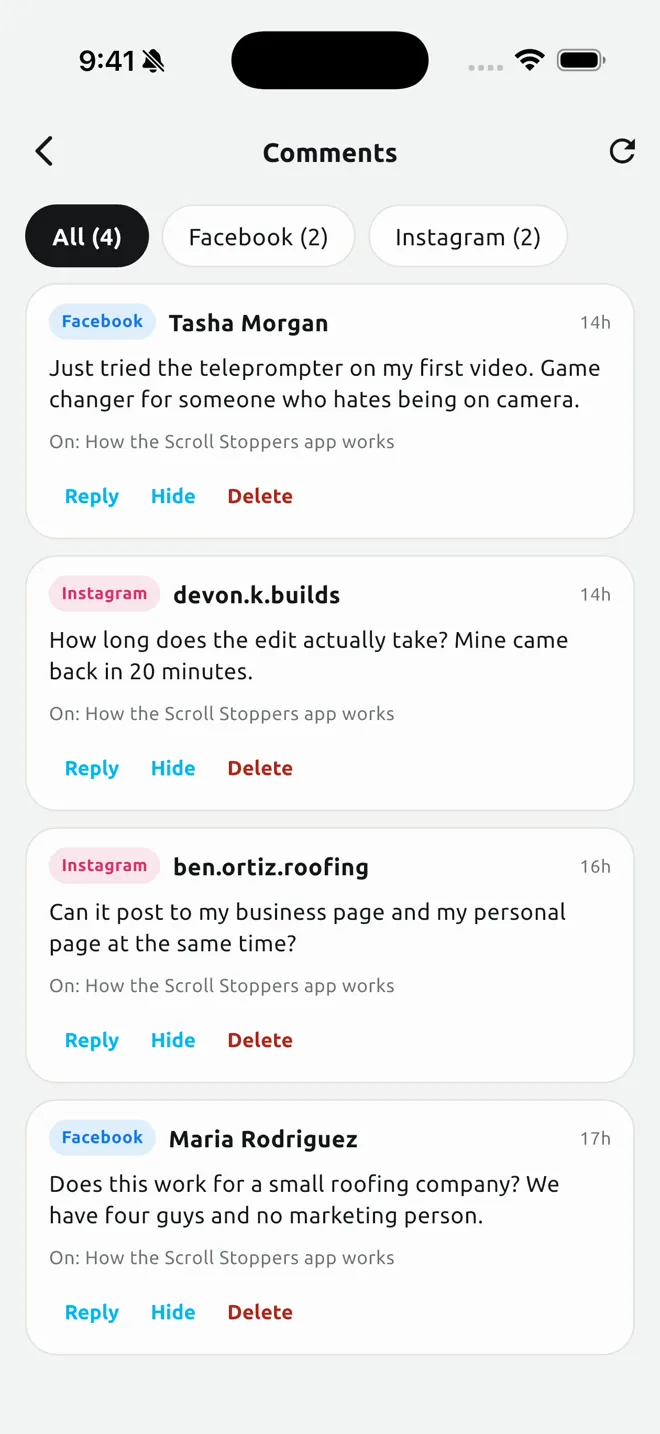
Every comment answered, in your words.
Comment curation is a bigger deal than most owners realize. You do not want a single bad comment living under your content, because people piggyback: a few negative comments and others jump in, it turns into a dog pile, and once a comment section gets out of control the results suffer badly. Negative social proof on a piece of content can ruin its ability to turn viewers into leads.
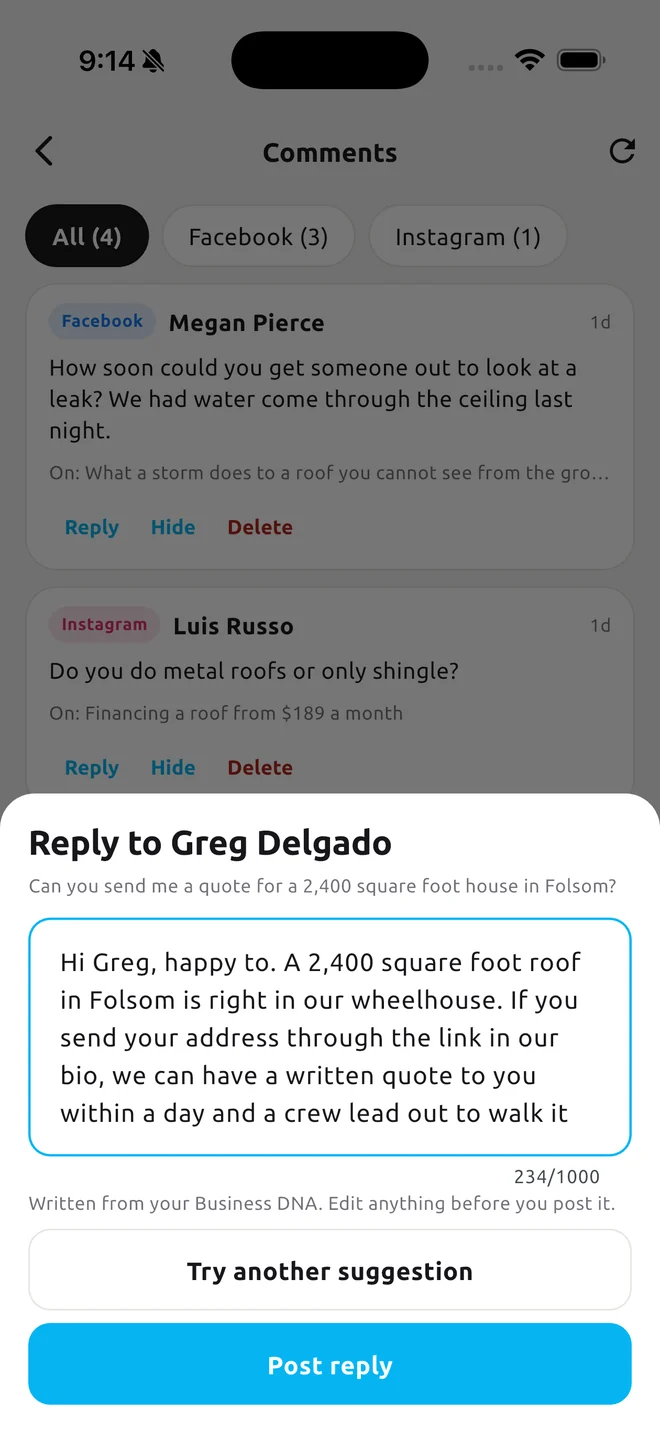
So we put it all in one place. Comments from Facebook and Instagram land in one inbox, each with a suggested reply written from your Business DNA and in line with the strategy, because there is a specific way to answer a comment that does not sound defensive and instead promotes more of your value. Reply, hide or delete in a tap. Delivered videos post to your Page and your Instagram from the app, and a winning ad can be posted as organic content.
These two pieces are rolling out as Meta finishes its review of the posting and comments permissions. Everything else on this page is live today.
- One inbox for Facebook and Instagram comments
- A suggested reply for each, written from your Business DNA
- Post delivered videos to both platforms from the Library
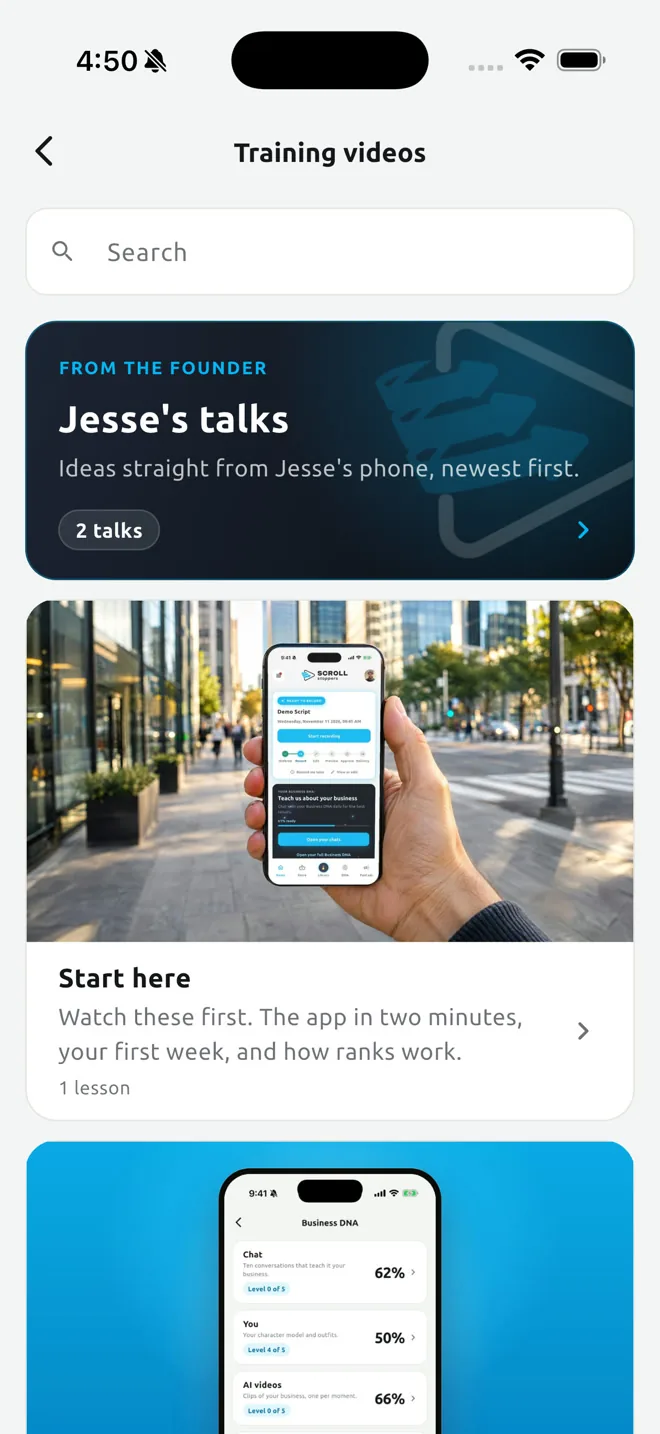
Training videos, live classes, and a real person when you need one.
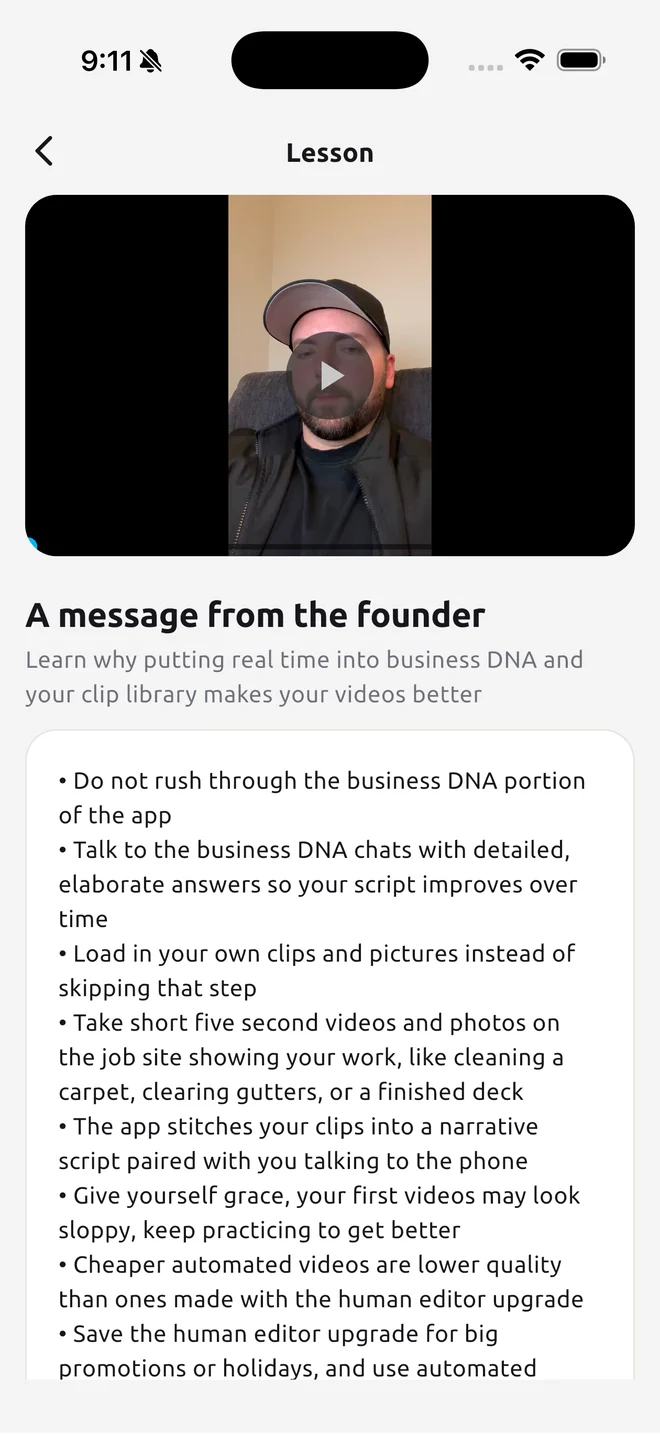
Training lives inside the app. Start here walks you through your first video. The Business DNA and strategy lessons explain why each piece works. And Jesse’s talks are the founder’s own lessons, recorded on his phone and added all the time, newest first.
There are live training classes you can attend and recorded ones you can watch whenever you like. And support is a real person: call (916) 579-9154 any time, book a support call from the menu, or use the Report an issue and Request a feature screens in the app. We read every one.
- Jesse’s talks: lessons from the founder, newest first
- Live and recorded training classes
- A phone number you can call any time: (916) 579-9154
- Report an issue and Request a feature, right in the app
- Support calls booked from the menu
30 downloads a week. Then 2,173 in two weeks.
Kyle’s app is built around the NFL draft, and he reached out with two weeks to go. He was stuck at about 30 downloads a week even with write ups in major publications and marketing teams helping him. We had two weeks to work with. In those two weeks he got 2,173 downloads, and he said it was the best thing he did when launching his app.
Kyle, business owner

$99 for the app, once. Then the Store is yours for life.
Buy the app one time, $99.99 on the App Store or $99 on Google Play, and every update is included for life. Inside is the Store: buy what you make one piece at a time, or take the monthly plan.


Or buy one at a time.
| Feature | ImagesImage adsfrom $5 | AutomaticSimple Video$19 | AutomaticEnhanced Video$39 | Human editorSimple, human edited$199 | Human editorEnhanced, human edited$349 |
|---|---|---|---|---|---|
| Turnaround | A few minutes | About 30 minutes | About 30 minutes | Editor timeline at checkout | Editor timeline at checkout |
| Styles to pick from | Dozens of designs | Your look, set once in the app | Your look, set once in the app | Your look, set once in the app | Your look, set once in the app |
| Shapes delivered | All three: story, feed and widescreen | 9:16 | 9:16 | Any | Any |
| Script with up to five hooks | Headline and copy written for you | Included | Included | Included | Included |
| Teleprompter and narrator | No filming | Included | Included | Included | Included |
| Dead air cut at every take | Not included | Included | Included | Included | Included |
| Music under your voice, logo to close | Your logo and colors | Included | Included | Included | Included |
| Your clips and photos cut in | Built from your photos | Not included | Included | Not included | Included |
| AI clips in your likeness | Not included | Not included | 3 per minute | Not included | Placed by the editor |
| Captions | Text on the image | Not included | Not included | Written by hand | Written by hand |
| Color grading | Not included | Not included | Not included | Included | Included |
| Sound design | Not included | Not included | Not included | Included | Included |
| Background noise removal | Not included | Not included | Not included | Included | Included |
| Voice enhancement | Not included | Not included | Not included | Included | Included |
| Loudness normalized to platform standards | Not included | Not included | Not included | Included | Included |
| Motion graphics and titles | Not included | Not included | Not included | Not included | Included |
| Hand picked B roll and pacing | Not included | Not included | Not included | Not included | Included |
| Hook split test | Not included | Paid add on | Paid add on | Paid add on | Paid add on |
| Fixes after delivery | Change colors, fonts or the photo and run it again | 4 free of each, then $1 to $5 | 4 free of each, then $1 to $5 | First revision free, then $80 | First revision free, then $80 |
| Length | Still image | Up to 1 minute included | Up to 1 minute included | Up to 1 minute included | Up to 1 minute included |
| Price | $5 each | $19 each | $39 each | $199 each | $349 each |
Questions before you download.
What is Scroll Stoppers?
Are these AI videos?
Do I have to be on camera?
How long does a video take?
What does it cost to start?
Is the $99 a month plan the same as the $99 app?
Do I need to know anything about marketing?
Does my ad money go through you?
Where do the leads go?
What if I do not like the video?
Can I cancel the monthly plan?
Do you post the videos for me?
(Optional) Call us, or we call you.
Call weekdays 9 to 5 Pacific, or book an intro call and we ring you at your time. No pitch, just answers.
Calendar not loading? Open it in a new tab.
Make your first video ad today.
One purchase, yours for life. Buy what you make inside from $5, or $99 a month for thirty pieces. No contract.
On a computer? Open the download page and scan the code with your phone.